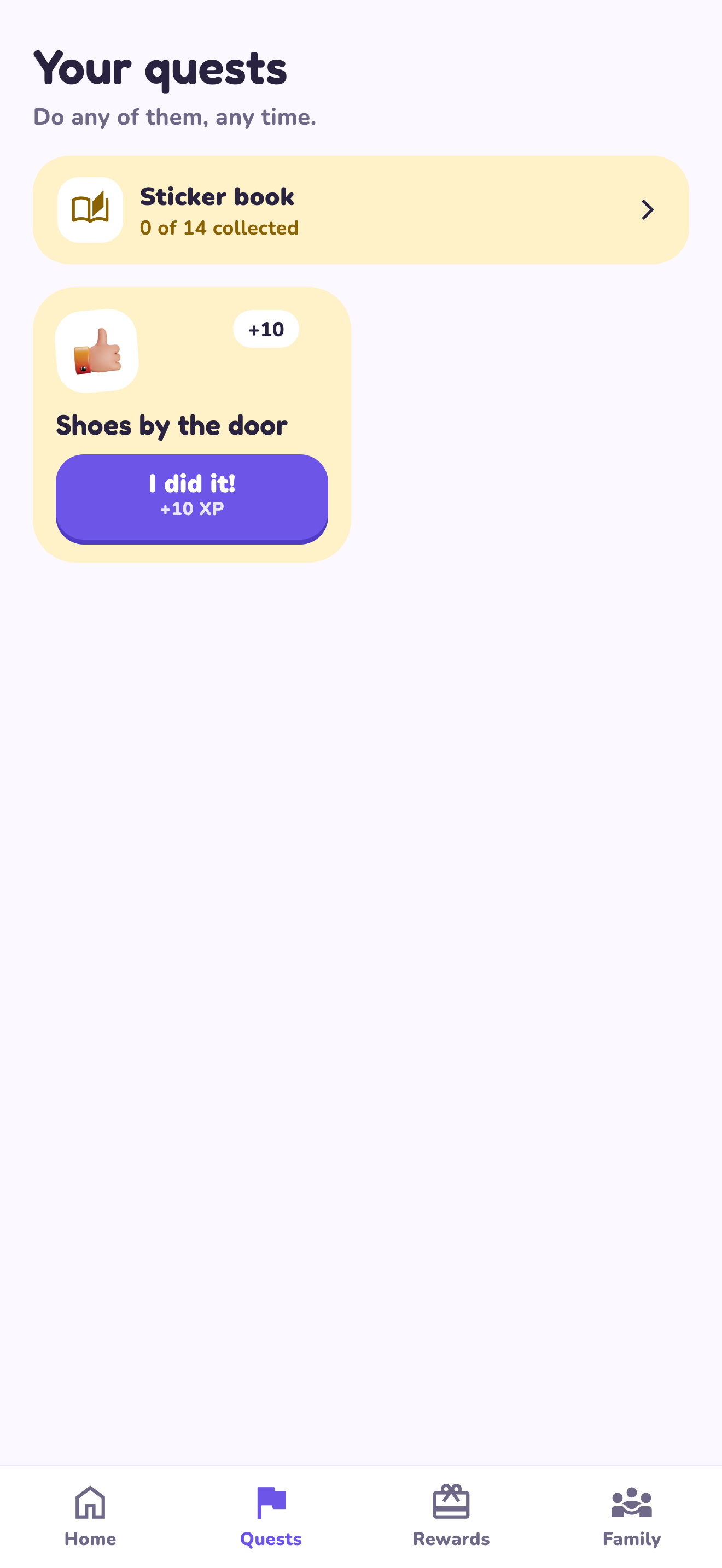
Keep the first setup smaller than your chore list
Choose a task the child can already do with the help available. Demonstrate it and explain what the app submission means: the child asks an adult to check the work. Resist copying every household job into the app at once. A small setup is easier to explain and easier for the adult to keep current.
A worked family example
‘Put shoes by the door’ has a visible finish line and takes a short time. Set an example 10 XP value and a family game choice at 30 XP. These are sample values, not app defaults. Use the first few attempts to check whether the instructions are clear.
Try a small version first
- Choose one familiar task.
- Show what finished looks like.
- Agree on one reward and its availability.
- Complete and review the first quest together.
How to decide
Add another responsibility when the first one fits your routine. If the child needs frequent help, make that help part of the plan instead of treating every request for help as a failed task.
Where the app can help
LvlUpKids turns responsibilities into quests, lets a child submit finished work, and lets a parent review it before approved XP goes toward a family-chosen reward. See how LvlUpKids turns chores into parent-approved quests, XP and chosen rewards.
The website template is separate from your account. Edit and print locally, then manually enter selected tasks in the app if you want the quest workflow. There is no automatic import, account save or AI connection on these pages.
Explore the chore app · Free to download, with in-app purchases. Check the store and purchase screen for current device requirements and terms.