
Make the next step clear
“Clean your room” can mean something different to everyone. Start with a quest your child can recognize as finished: put books on the shelf, place laundry in the basket, or clear the breakfast plate.
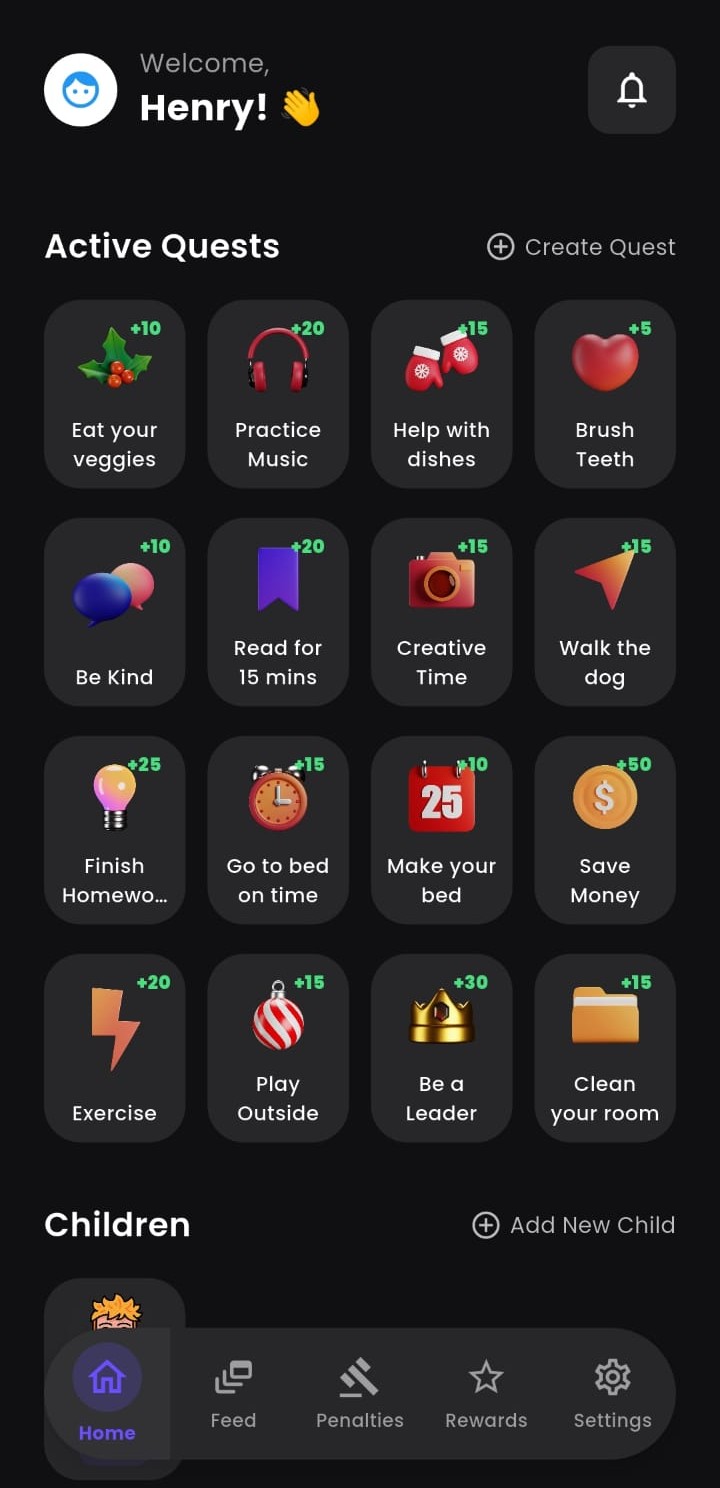
Give each quest an XP value, choose a one-time or recurring schedule, and explain what you will check. The app keeps the list visible; you set the expectations.
A simple loop your family can repeat
- Choose a quest. Pick one responsibility and define what done looks like.
- Complete and submit. Your child does the task and submits it for review.
- Review together. A parent approves the work, so XP reflects the agreed task.
- Choose a reward. Your child works toward a reward you have added, such as choosing a family activity.
Your first week, without a complicated system
Try three tasks and one small reward. Keep the first reward close enough that your child can understand the path to earning it. The numbers below are an example, not a default in the app.
| Quest | Definition of done | Example XP |
|---|---|---|
| Breakfast reset | Carry your own plate to the agreed place | 5 |
| Book basket | Return five books to the shelf | 5 |
| Tomorrow's bag | Check the school list with a parent | 10 |
At 20 XP per completed day, a 60 XP reward takes three such days. If the pace feels wrong, agree on a new plan for the next week instead of changing a reward's price after your child has started saving.
Parents stay part of the process
LvlUpKids supports parent approvals, custom rewards, and co-parent participation. Adults decide what belongs on the list and what each reward means. The app records progress; conversations, encouragement, and help with unfamiliar tasks still come from you.
A paper chart may be enough when you want a list on the fridge. An app becomes useful when your family wants recurring tasks, separate child profiles, approvals, and a shared reward list in one place. Our paper chart versus chore app guide helps you choose.
Start with the version available for your device
Check the linked app-store listing for current compatibility, optional purchases, and release details. Device controls use the separate LvlUp Companion setup and should not be assumed to be part of every chore workflow.